
Product Overview
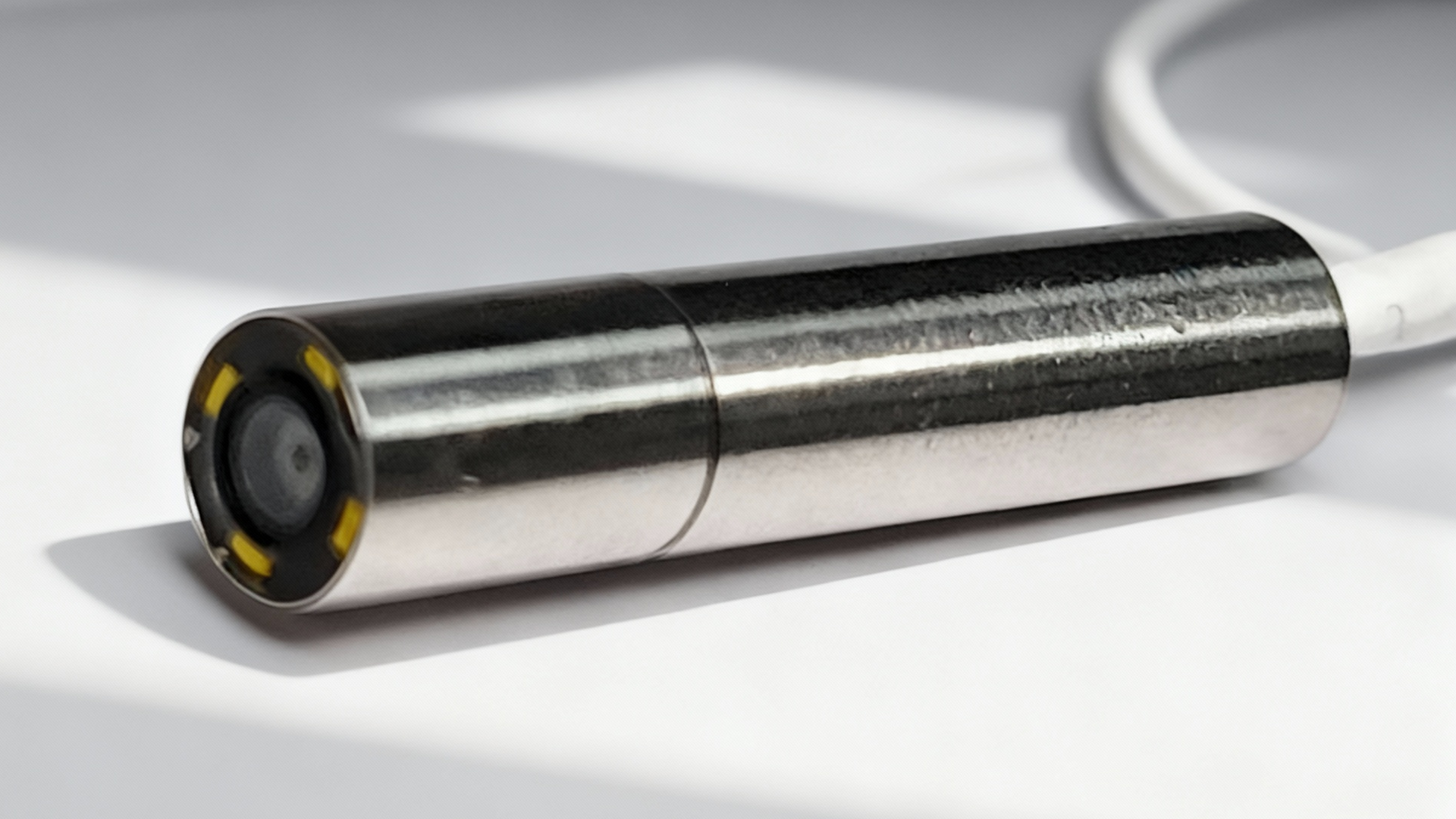
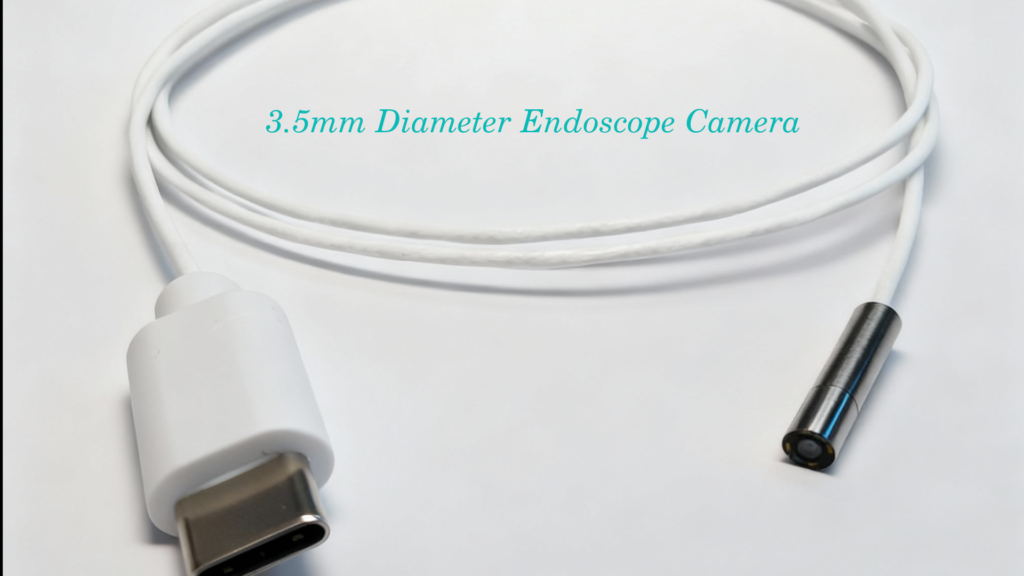
- Description: Micro endoscope camera with 3.5 mm diameter camera head and 17 mm camera module length; 60 cm flexible cable; USB Type‑C connector; 720P (1280×720) video.
- Main uses: Inspection of small/hidden areas (pipes, engines, machinery, electronics, HVAC, hobby, etc.). Not for medical diagnosis.
Specifications
- Camera head diameter: 3.5 mm
- Camera module length: 17 mm (total head length)
- Resolution: 1280 × 720 (720P)
- Frame rate: up to 30 fps (typical)
- Interface: USB Type‑C (UVC / OTG compatible)
- Cable length: 60 cm (flexible, shielded)
- LED lights: Built‑in adjustable 4 LEDs with 1200~1400Lux
- Power Voltage: 2.8V~3.5V
- Field of view (FOV): typically 60°–90° (model dependent)
- Focus: fixed (near focus / short working distance)
- Waterproof rating: IP67
- Power: USB powered (no external adapter)
- Supported systems: Android (OTG), Windows, macOS, Linux (UVC compatible)
- Operating temperature:-20°C~70°C
Package Contents
- Endoscope camera with 60 cm cable USB Type C integrated ×1
Safety Precautions
- Read instructions before use.
- Keep away from children; small parts and long cable pose choking/entanglement hazards.
- Do not use for medical diagnostics or internal human/animal examinations unless explicitly certified.
- Avoid exposure to high voltage, flammable gases, or explosive environments.
- Do not forcibly bend, twist, or pull the cable; avoid sharp bends near the camera head.
- Do not immerse cable or connector in water unless product is specifically certified for submersion to a stated depth.
- Disconnect when not in use. Allow cool down after prolonged use—LEDs and camera head may get warm.
- If the cable, connector, or camera head is damaged, stop using and contact seller.
Compatibility & Requirements
- Android phones/tablets: USB Type‑C port with OTG support; compatible camera app (UVC).
- Windows/macOS/Linux PCs: UVC drivers or native support; camera software or viewer.
- Some devices may require a USB Type‑C to USB‑A adapter (OTG compatible) — adapter supports data and OTG.
- App is required in Mobile device, install recommended app or a trusted UVC camera app from official app stores.
Connection & Setup
a. Preparation
- Ensure device is powered on and has sufficient battery.
- Clean camera lens with a soft, dry cloth if necessary.
b. Connect - Insert the USB Type‑C plug firmly into the device’s Type‑C port.
- If using an adapter, connect adapter first, then camera.
c. Launch App/Software - Open the camera app or viewer. Grant permissions when prompted (camera, storage).
- Select the endoscope camera if multiple cameras are available.
d. Adjust Image - Adjust LED brightness via app or physical control (if provided).
- Slowly move the camera toward the inspection area. Maintain steadiness; small diameter and close distances require fine control.
- Keep working distance within the camera’s focal range (check product specs; typically a few centimeters).
Operation Tips
- Use included accessories (mirror, hook, magnet) for retrieving or inspecting objects.
- For narrow pipes/tubes, rotate the cable gently to change view angle.
- Avoid touching the lens with fingers to prevent smudges; clean with microfiber cloth.
- For better lighting control, reduce LED brightness when close to reflective surfaces to avoid glare.
- When inserting into long narrow channels, advance cable slowly and support it from the entry point to avoid kinking.
Maintenance & Cleaning
- Power off and disconnect before cleaning.
- Wipe camera head and cable with a soft, slightly damp cloth; mild detergent may be used. Dry thoroughly.
- Do not use solvents or abrasive cleaners on lenses or seals.
- Store in the carrying pouch in a cool, dry place; coil cable loosely to prevent tight bends.
Troubleshooting
- No image / device not recognized:
- Ensure device supports OTG/UVC.
- Try a different app or computer.
- Check connector orientation and ensure a secure connection.
- Try another USB port or adapter.
- Image flicker or poor image:
- Reduce LED brightness or move camera slightly away from reflective surfaces.
- Verify app settings (resolution/frame rate).
- Check for cable damage or loose connection.
- Water ingress:
- If product is not rated for submersion, discontinue use and contact support.
- Overheating:
- Stop use, allow to cool, then retry.
Warranty & Support
- Warranty terms: refer to product packaging or seller (typical 1 year limited warranty).
- For technical support, repairs, or replacement parts, contact the seller or manufacturer with model number and purchase details.
- Do not attempt to disassemble the camera head or sealed parts—this voids warranty.
Disposal
- Dispose of electronic device and accessories in accordance with local regulations for electronic waste.
- Camera head diameter: 3.5 mm (φ3.5 mm)
- Camera module length (head): 17 mm
- Cable length: 600 mm (60 cm)
- Connector: USB Type‑C (length and dimensions per USB‑C spec)
If you want a branded/customized version for yourself (Apps, exact FOV, focal distance, IP rating, LED count, or OEM logo and contact info), please contact us then we can make customization based on your requirements.